Login to your Inkress Dashboard: https://inkress.com/login.
Navigate to the Payment Links Section of your sidebar and click "Add New".
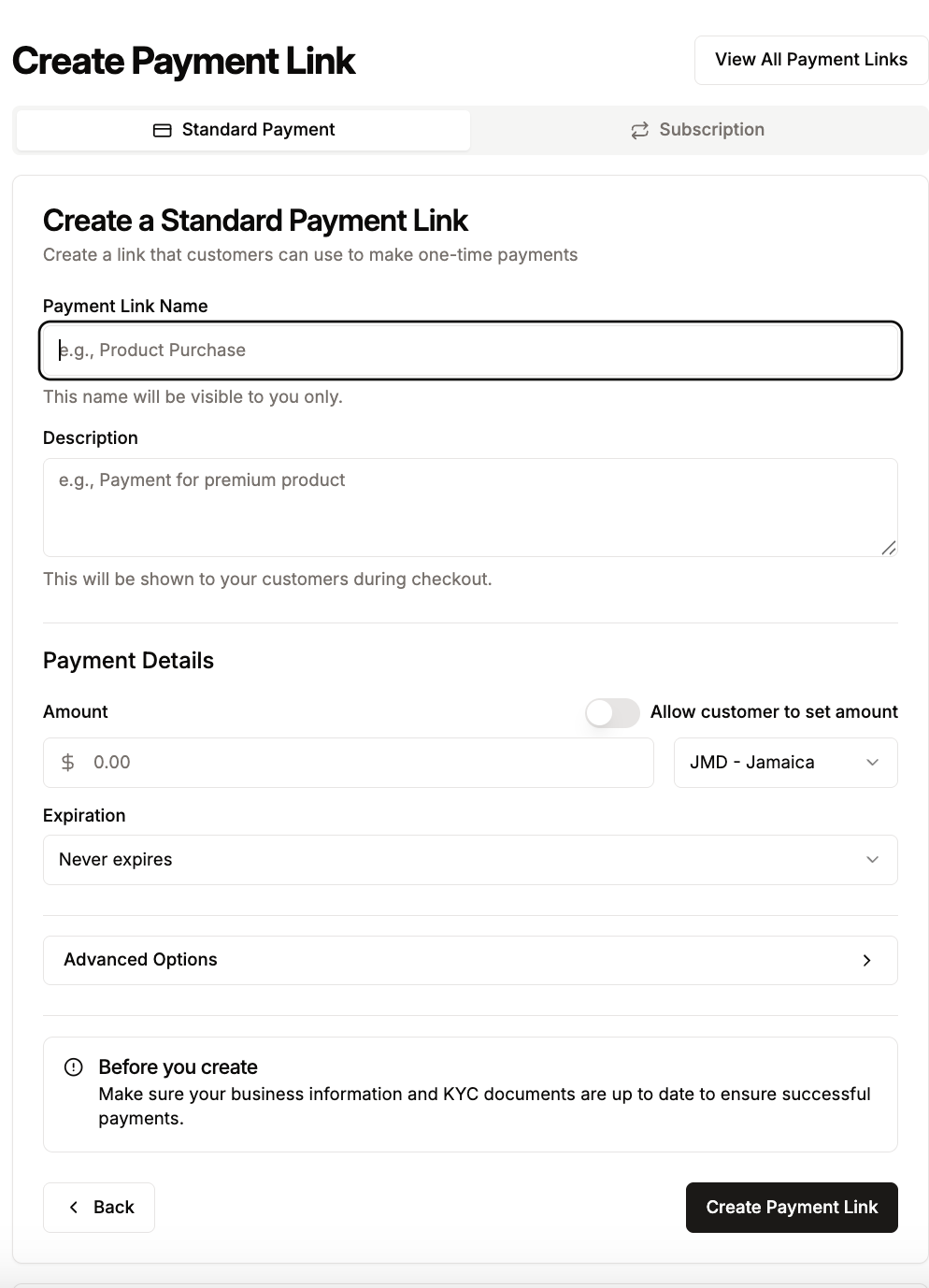
Fill out the basic details that you will see on the form:
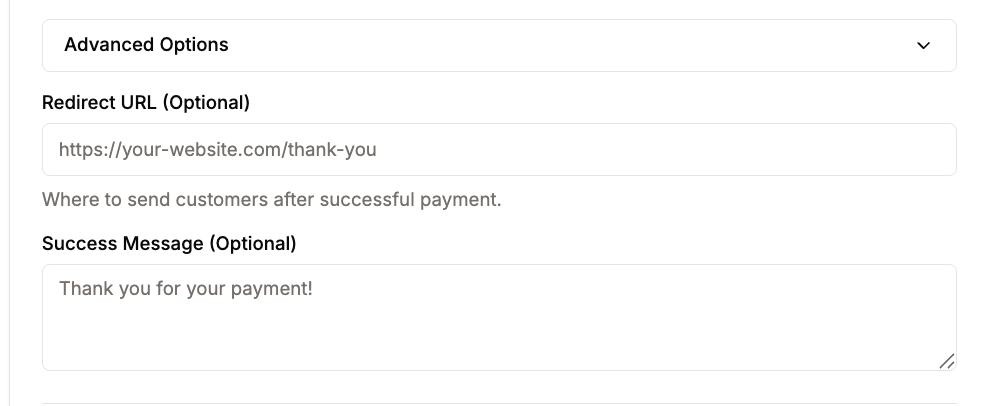
For advanced users, you may also add your own custom redirect url or success message